SEOPARKWAY
(678) 325-5020Get in touch
Services Pricing Service Areas About Contact Call (678) 325-5020
Home / Business Add-Ons / Sales Pipelines & Workflows

Sales Pipelines & Workflows

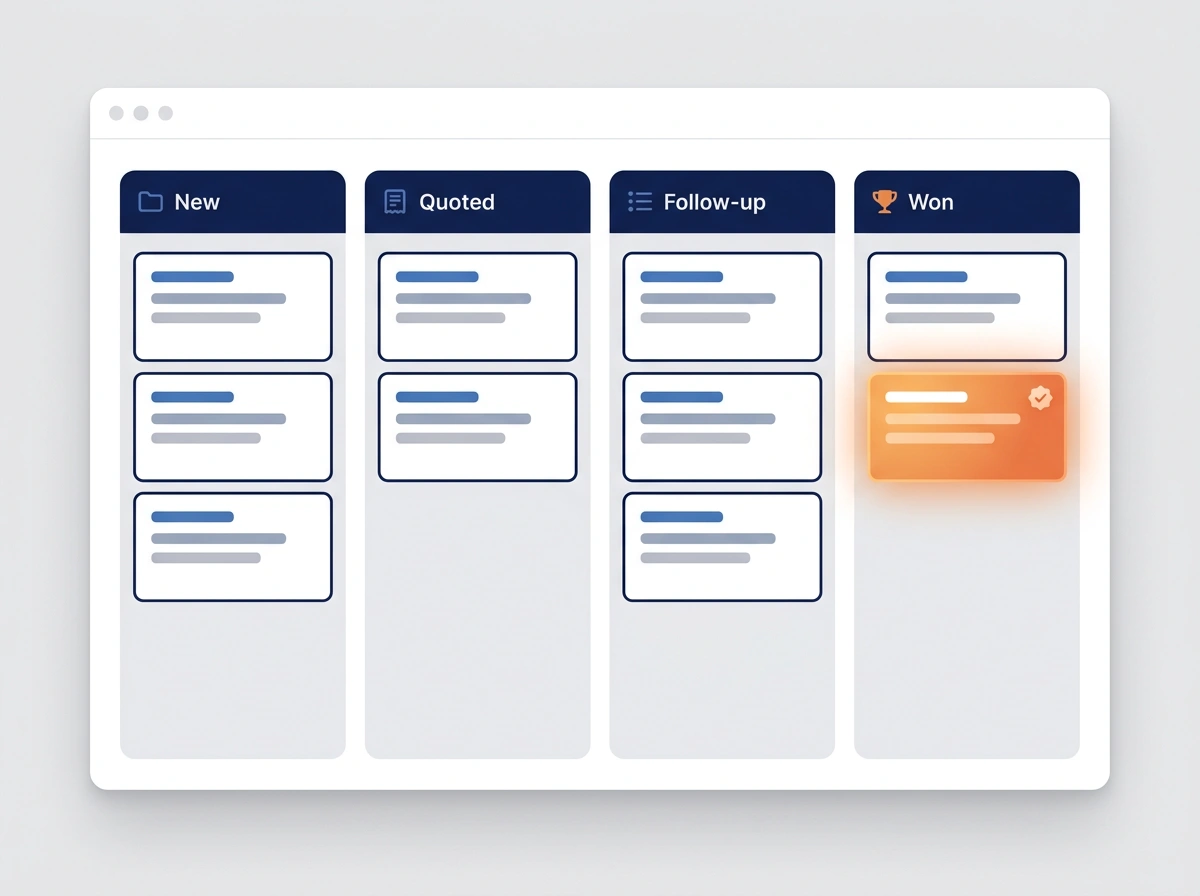
Sticky notes, texts, and a full head are where leads go to die. A sales pipeline puts every lead on one board. You see exactly who’s new, who’s waiting on a quote, and who’s ready to close, with the next step handled automatically.

Kanban-style sales pipeline board with New, Quoted, Follow-up, and Won columns
0
leads forgotten in a notebook or inbox
The leak

You can’t close the leads you’ve lost track of.

A quote you meant to follow up on. A caller you promised to text back. A “maybe next month” you never circled back to. When leads live in your head and your inbox, the busy weeks are exactly when the best ones slip away.

Up to 50%
Of leads never get a second touch
Without a system, most quotes and callbacks quietly fall off the radar.
27%
Higher close rate with a pipeline
Businesses that track deals through clear stages simply win more of them.
$0
A forgotten lead is worth
A lead you never followed up on is money you already spent to earn, and then threw away.
What you get

Your whole sales process on one board

Visual drag-and-drop stages

See every lead as a card moving from New to Won. One glance tells you where the business stands.

Automated stage actions

Moving a card fires the next step, whether that’s a text, an email, or a task, so follow-up never depends on memory.

Tasks & reminders

Every deal has a clear next action and a due date, assigned to the right person automatically.

One place for the full history

Calls, texts, quotes, and notes all live on the lead’s card, in the same dashboard as your reviews and campaigns.

In the real world

A few ways it tightens up the business

Each stage moves a lead forward automatically. The follow-ups, reminders, and hand-offs you’d mean to do by hand now just happen, so nothing stalls.

Never drop a lead

Every inquiry lands on the board

Calls, forms, and messages all drop into a “New” column automatically, tagged and time-stamped, so no lead lives in your head or gets buried in a text thread.

100%
of leads captured & tracked
Auto follow-up

Stuck deals nudge themselves

A lead sitting too long in “Quote sent” triggers an automatic reminder to them and a task for you, so warm deals don’t go cold while you’re busy.

+27%
more deals closed
Team hand-off

Everyone knows the next step

As a deal moves stages, the right person gets the task automatically, whether that’s a quote to send, a call to make, or a job to schedule, so nothing waits on “I thought you had it.”

2x
faster response time
Know your numbers

See where money gets stuck

The board shows how many deals sit at each stage and what they’re worth, so you can spot the bottleneck, forecast the month, and focus where it pays.

Live
revenue forecast at a glance
NEW CLIENT ONBOARDING

Clients go live without waiting on you

Each onboarding stage triggers the next task automatically, covering paperwork, access, and training, so new clients start seeing results days sooner instead of sitting in a queue.

3x
faster client go-live
How it works

Turning chaos into a repeatable process

1

We map your sales or intake process

The real stages a lead moves through in your business, from first call to booked job.

2

We build the board & automations

Your pipeline with the right stages, triggers, tasks, and reminders wired in and ready.

3

You just work the board

Leads flow in, next steps fire automatically, and you always know exactly what to do next.

Better together

Fill the top of your pipeline.

A pipeline works best when it’s full. These make sure every lead gets captured and nurtured on its way into the board.

Missed Call Auto Text Back Turn a missed call into a new lead on the board. AI Receptionist Capture and drop new callers straight onto the board.
Sales pipelines, in detail

Sales pipeline and CRM software for local service businesses

A sales pipeline is a simple idea: every open lead is a card on one board, sorted into the stages your sales process moves through. Behind the board sits a CRM that keeps each customer’s calls, texts, quotes and notes together. Workflows make the next step happen automatically when a card moves. For a busy owner, it replaces sticky notes, text threads and memory with one place that shows exactly what needs doing next.

A simple CRM for small business, not enterprise software

Most CRM software is built for sales teams with managers, quotas and weeks of training. Local service businesses need something they’ll actually open between jobs. We build your pipeline for you, with only the stages and fields you use, so the board makes sense on your phone in the truck as well as at a desk. You get the benefits of a CRM without becoming a CRM administrator.

Pipeline stages that match how you sell

A good pipeline mirrors your real process. An HVAC company might use New Lead, Estimate Scheduled, Quote Sent, Follow-Up, Won and Lost. A dental practice might track Inquiry, Consult Booked, Treatment Plan Presented and Scheduled. We start by mapping how a lead actually becomes a paying job in your business, then build the stages around it. That way the board shows the truth, not a template.

Workflows: the next step happens on its own

Workflows are what turn a board into a system. When a card moves, something happens automatically: a quote follow-up text goes out, a task lands on someone’s list, or a reminder fires if a deal sits too long in one stage. Follow-up stops depending on memory, and the busy weeks stop being the weeks when good leads slip away.

Lead tracking from every source

Leads arrive by phone, web form, text and message, often all in the same afternoon. Each one drops into the New column automatically, time-stamped, with the conversation attached. Calls answered by the AI Receptionist and texts from Missed Call Text Back land on the same board, so nothing lives in a personal phone or an inbox nobody checks.

Tasks, reminders and team hand-offs

Every deal on the board has a clear next action and a due date. As a deal moves forward, the right person gets the task, whether that’s the estimator, the office manager or you. That ends the “I thought you had it” problem. If you work alone, the reminders keep you honest on the callbacks you promised during a busy day.

Pipeline vs field service software

Many contractors already use field service software to schedule crews, dispatch jobs and send invoices. A sales pipeline covers the part before that: capturing the lead, following up on the quote and winning the work. Field service tools handle what happens after the sale. You don’t need to replace one with the other, and many businesses use both.

Know your numbers

Because every open deal sits in a stage with a value, the board doubles as a simple sales forecast. You can see how much work is waiting on a quote, which stage leads stall in, and where a phone call this afternoon would pay the most. It answers questions most owners can only guess at today, like how many quotes went out this month and how many turned into jobs.

What it costs and how it’s set up

Sales Pipelines & Workflows is $100 a month as an add-on to any plan, and it’s included in our Dominate plan. Automated texts and emails carry small usage fees. We map your process, build the board and automations, and hand you a pipeline that’s ready to work. Pair it with Marketing Automation for longer follow-up, or see all plans on our pricing page.

Common questions about sales pipelines

What is a sales pipeline?
A sales pipeline is a visual board of every open lead, sorted into the stages your sales process moves through, like New, Quote Sent, Follow-Up and Won. Each lead is a card you move from stage to stage, so you can see at a glance who needs what next.
What is the difference between a CRM and a sales pipeline?
A CRM (customer relationship management system) is the database of your contacts and their history: calls, texts, emails and notes. The sales pipeline is the view of that CRM that shows where each open deal stands. Ours gives you both in the same dashboard as your reviews and campaigns.
What stages should a sales pipeline have?
As few as it takes to match how you really sell. Many local service businesses use something like New Lead, Contacted, Estimate Scheduled, Quote Sent, Follow-Up, Won and Lost. We map your actual process first, then build the stages around it.
Do I have to replace my scheduling or invoicing software?
No. A sales pipeline covers the part before the job: capturing leads, following up and winning the work. Field service software covers dispatching crews and invoicing after the sale. Many businesses use both.
How much does Sales Pipelines & Workflows cost?
It's $100 a month as an add-on to any plan, and it's included in our Dominate plan. Automated texts and emails carry small usage fees.
Watch the explainer · Lesson 08

Sales Pipelines & Workflows in 46 seconds

Sticky notes, texts and a full head are where leads go to die, and up to half of all leads never get a second touch. Sales Pipelines and Workflows put every lead on one simple board as a card that moves through stages like new, quoted, follow-up and won, with each move triggering the next step automatically.

Stop letting leads slip away.

Add Sales Pipelines & Workflows to any plan. It plugs into the same dashboard, so every recovered lead shows up right alongside the rest.

Purchase